
Premiere Pro
Video editing tips, tricks and news for Adobe Premiere Pro.
Artificial Intelligence and the World of Motion Design
Motion design is already a tough industry to conquer, and now there’s a new threat on the horizon — artificial Intelligence.
Premiere Pro Quick Tip: How to Create Proxies
Is your computer having a hard time handling high-res video files? Let’s take a look at how you can work with proxies in Premiere Pro.

Create a Glitch Effect in Premiere Pro in 3 Steps
Want to create a glitch effect without any plugins in Adobe Premiere Pro? Just follow the 3 easy steps in this video tutorial.
How to Create Text Effects and Animations in Premiere Pro
When you’re getting into text effects and animations, workspace is important. Master your motion graphics workflow in Adobe Premiere Pro with these tips.

The Many Different Ways to Use the Crop Effect in Premiere Pro
Here are six ways the crop effect in Adobe Premiere Pro will improve your filmmaking workflow — and yield more satisfying results.
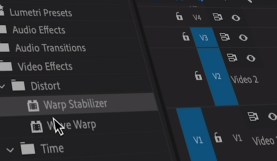
Video Editing 101: How to Stabilize Footage in Premiere Pro
Shaky video got you down? Fret not. Follow these super-simple steps to stabilize footage in Premiere Pro.

How to Speed Up or Reverse a Clip in Premiere Pro
Learn how to speed up video and reverse a clip in Premiere Pro to open up a new world of creative possibilities for your footage.
Master Premiere Pro’s Timeline with Source Patching
Take your video editing skills to the next level by working with source patching in the timeline panel in Adobe Premiere Pro.

Quick Tip: Fixing a Crooked Horizon in Premiere Pro
Set your horizons straight with these quick, savvy tips for effectively correcting crooked footage in Adobe Premiere Pro.
8 Essential Tips and Tricks for Mastering Adobe Premiere Pro
Find some extra motivation on your next project with these 8 techniques for maximizing your non-linear editing skills in Premiere Pro.
NLE Showdown: DaVinci Resolve vs. Adobe Premiere Pro — Text Effects
In this NLE showdown, we compare the text and title generators in Adobe Premiere Pro and DaVinci Resolve — and there’s a clear victor.

NLE Showdown: DaVinci Resolve vs. Adobe Premiere Pro — Processing Power
Today, we’re looking at the financial implications of how the CPU dependent Premiere competes against the GPU leaning Resolve.