
Video Editing
The latest video editing and post-production tips, tricks, and tutorials. Applications covered include DaVinci Resolve, Premiere Pro, After Effects, Final Cut, and Blender.

Why LumaFusion Is the Best Video Editing App for iPads
Learn why LumaFusion’s intuitive interface, optimized performance, and superb mobility make it the best editing app on iPad.

8 Things I Learned by Creating the Donut in Blender
Take a look at what I learned by completing the iconic donut tutorial series in Blender, and whether or not it’s right for you.
Helpful Tips Every Audio Engineer Wants You to Learn
Here’s a quick dive into the audio recording world to help save your future audio engineers some headaches.

Fusion vs. After Effects: Which One Is Right for You?
Take a look at the differences between Fusion and After Effects, so you can decide which one is right for you. Let’s go!
Comparing the Performances of Premiere Pro vs. Final Cut Pro X
Let’s compare these two pieces of editing software—Premiere Pro and Final Cut Pro X—in five different areas of performance.

Using the Pick Whip for Motion Graphics in Adobe After Effects
The Pick Whip is a motion graphics game-changing tool in Adobe After Effects. Let’s explore what it does and how to use it.
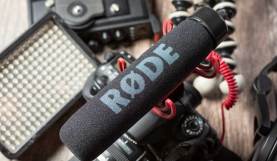
The RØDE VideoMic Go Audio is Terrible: Here’s How to Fix it
You should probably purchase a different microphone. However, these steps can help you fix your RØDE VideoMic Go audio.
The Best Portable SSDs for Videographers on the Move
Videographers can back up and secure their files anywhere with these fast, external SSDs. Let’s take a look.

From Sensor Design to Framing: When and Why to Film at 12K
With a 12K camera entering the market, is there a reason for such high resolution beyond massive images? Let’s take a look.

Soviet Montage Theory: Exploring the 5 Types of Montage
We discuss the core historical tenets of Soviet Montage Theory, then explore the main types of montage for your film and video projects.
From Filming to Editing: Should You Still Be Shooting in 1080?
Let’s take a look at the pros and cons for filming, editing, and uploading footage in 1080p in comparison to 4K.
5 Edit-Friendly Tips Every Filmmaker Should Know
From cutaways to framing, let’s examine five filmmaking methods that can enable you to shoot like an editor.