
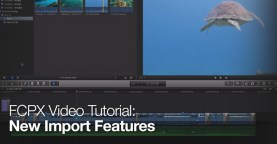
FCPX Video Tutorial: New Import Features
Learn how metatags can speed up and organize your importing process in this FCPX video tutorial.

FCPX Advanced Metadata Workflows
Powerful metadata is one feature that makes Final Cut Pro X powerful. In this post, we share a few videos and training tutorials to show you how …

Creating a Web DVD with Premiere Pro & Encore
In this post, we’ll show you how to use an Adobe workflow (Premiere and Encore) to create a searchable web DVD using Flash – a unique way …

File Naming for Video Editors, Designers & Photographers
By standardizing your file naming and keeping it consistent throughout your digital pipeline, you’ll save massive headaches down the road. Follow these tips for better media management …

Video Tutorial: Using RED Look Files to Improve Your Shooting
Learn how to see unique color grading looks through your RED camera in this informative tutorial. Takes some guesswork out of setting up shots and lighting!

Understanding Autodesk Smoke 2013 Project Files
Understanding how Autodesk Smoke 2013 manages and stores project files is essential for any serious user. In this tutorial we show you how Smoke organizes the project …

Video Tutorial: How to Use the New Find Tool in Avid Media Composer
As we continue our video tutorial series on the new features in Media Composer 6, we thought we’d highlight the new Find Tool (which was technically introduced …

Video Tutorial: How to Use PhraseFind in Avid Media Composer
Use PhraseFind in Avid Media Composer to quickly search your project’s audio for specific words and phrases.

Modifying Metadata Views in Final Cut Pro X
Final Cut Pro X offers many options for including and modifying clip metadata. Keep order in your projects by using metadata to your advantage. Learn how to …
Part 2: Making Metadata Work for you—Performing Sorts and Sifts in Avid Media Composer
Bins chock-full of clips can be daunting when you’re trying to find just the right shot. In Part 1 of this two-part tutorial series, we learned how …
Part 1: Making Metadata Work for you—Creating Custom Columns in Avid Media Composer
Sometimes, the most important information you can generate about your clips is the user data that you define. In Part 1 of this two-part tutorial series, find …
Organizing your clips in FCP X: Part 2
Don’t let needless searching for clips slow you down! Master the intuitive organization and searching features in Final Cut Pro X. In this two-part tutorial, we’ll take …