
Posts Tagged ‘Timeline’
Pro Tip: Change Track Height in Premiere Pro
Need to see your waveforms or video thumbnails? Here’s a quick way to change track height in Premiere Pro.

Color Grading Tips For ‘Mixed Camera’ Projects
Using footage from different types of cameras can make color grading a challenge. Here are some tips to make the process easier.
Quick Tip: Nudge Clips in Premiere Pro
Need a quicker way to move clips around your timeline? Learn how to nudge clips in Premiere Pro – without a mouse!
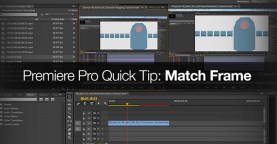
Premiere Pro Quick Tip: Match Frame
The ‘Match Frame’ feature in Premiere Pro can save you a lot of time. Learn how to use it with this quick tip!
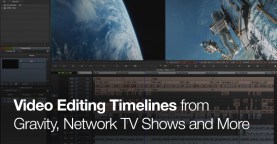
Video Editing Timelines from Gravity, Kick Ass 2, Network TV Shows and More
Ever wondered what the editors timeline looks like on an Oscar winning film? Check out these images to get a closer look!
Tips for Handing Off a Project to Another Video Editor
When working in a collaborative post production environment it is ESSENTIAL to use thoughtful organization in your video editing projects. Follow our tips for prepping your projects …
Power Tip: Horizontal Audio Meters in Premiere Pro
Change the orientation of your audio meters in Premiere Pro – and create a more efficient video editing experience! In this post you’ll learn how to adjust …

Tips for Logging Interviews in Adobe Prelude
Save time in your video edits by efficiently logging clips on the front end. Adobe Prelude is a powerful logging tool and in this post we show …
Three Game-Changing Shortcuts in Premiere Pro
In this post we share 3 custom Premiere Pro shortcuts that will supercharge your video edits – quickly trim to the playhead or delete any media that …
Tips For Prepping for an After Effects Online Edit
After Effects can be a powerful finishing tool for your video edits. In this post, we outline a few ways to prepare your video editing timeline for …

Video Tutorial: Creating a 3D Timeline in After Effects
Give life to your data with a 3D timeline animation! In this Adobe After Effects video tutorial we’ll show you how to create a dynamic timeline effect …
Color Grading in Layers in Adobe Premiere Pro, After Effects or SpeedGrade
Make your color grades easily modifiable by grading in layers in your video editing app. With a grade layer you only need to adjust one filter, instead …