
Posts Tagged ‘CFX’
Using Speedgrade Look Files in Autodesk Smoke
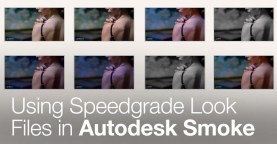
Download 75 FREE .look files for Adobe Speedgrade, that can also be used for creative grading in Autodesk Smoke.

5 Free Templates for Autodesk Smoke
Check out these 5 FREE templates for Autodesk Smoke! Sharpen your Smoke skills and add sharp looking graphics to your video editing projects.

Autodesk Smoke 2013 Power Tips & Tricks
In this post we share 3 lesser known tricks for working in Autodesk Smoke. Take your Smoke video editing to the next level!

Photoshop Importing Workflows for Autodesk Smoke
In this post, we give the complete rundown on importing and organizing Photoshop files for use in Autodesk Smoke – essential knowledge for Smoke video editors!

When to Use the Read File Node in Autodesk Smoke ConnectFX
In this post we demystify Smoke’s Read File node. Learn how and when to use it in your Smoke video editing projects.

Extension Release for Autodesk Smoke 2013: New Features
Autodesk Smoke gets a boost with the release of the Extension Release. Check out all the new features and additions that will improve your video editing and …

Autodesk Smoke: Preset Menus, Full Screen UI & Group Nodes
We’ve got more hot tips for Autodesk Smoke! In this post learn how to add a Smoke preset menu to other nodes, remove the OSX menu bar …

Autodesk Smoke: Tips for Creating 3D Text in Action
Create slick 3D text animations in Autodesk Smoke! In this post, we show you how to make your 3D text pop, with custom lighting, animation and extrusion.

Smokin’ Hot Tips for Autodesk Smoke
In this Smoke tutorial we’ll show you how to enable visual rendering, copy/paste color correction effects across clips and specify default frame rates for imported sequences. Lots …
Working with Alpha and Matte Clips in Autodesk Smoke
Get down with alpha channel clips in Autodesk Smoke! In this post, we show you a variety of ways to work with alpha channel and matte clips …

Timeline vs ConnectFX Render Comparisons in Smoke
We break down the render time differences between working in a Smoke Timeline or using Smoke ConnectFX. Follow our tips and tricks to optimize and speed up …
Autodesk Smoke: Action Node
We show you how to get the most out of Smoke’s powerful Action node! Action is the heart of 3D compositing in Smoke – motion designers and …