
Posts Tagged ‘Key frame’
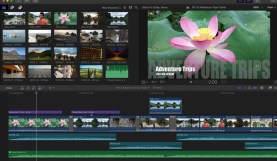
Free Final Cut Pro X Plugins to Improve Your Video Edits
Expand your video editing toolkit with 12 FREE Final Cut Pro X plugins to boost your editing workflow and improve your final product.

Top 10 Things I Wish I Knew Before Using LumaFusion
With robust, user-friendly features, LumaFusion is perfect for aspiring videographers. Here are 10 things you should know first.

‘Beat Assistant’ Automates Music Timing in After Effects
Speed up your video and motion design edits with a new plugin for After Effects. Beat Assistant can identify the BPM in your music track, mark it …

Paste Multiple Keyframes in Adobe After Effects
A new After Effects script allows you to copy and paste multiple keyframes from multiple layers! Check out this simple AE script to speed up your video …
5 After Effects Keyframe Tips
Know these tips for using keyframes in AE to give your projects a smooth motion design and speed up your post workflow! Good info for the new …

Create an Edgy Title Effect in Final Cut Pro X
Learn how to create a custom text effect in Final Cut Pro X! This modern title design is easy to achieve and visually engaging.

Add Light Effects to Your Videos with Volumetrix 2
Give your videos and animations incredible light effects with Volumetrix! Take the hassle out of keyframing by using using the customizable light presets and transitions.
Create Awesome Animations with the 3D Camera in After Effects
Learn how to use the After Effects 3D camera to make your video and animation projects more dynamic!