
Tutorials
Video editing, video production and color grading tutorials. Software covered includes Adobe After Effects, Premiere Pro, Apple Final Cut Pro X and Maxon Cinema 4D.
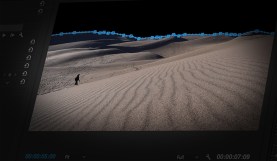
How to Layer Text Behind Objects in Adobe Premiere Pro
In this video tutorial, learn how to place text behind foreground objects using basic compositing to create depth and style.

Animate Your Text with Handwriting Motion Graphics
Grab a pen and learn how to easily animate text in your next project with this handwriting effect in Adobe After Effects.
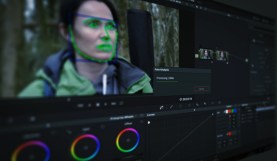
Working with DaVinci Resolve 14’s Powerful Face Refinement Plug-in
The Face Refinement Plug-in is a hidden gem in DaVinci Resolve 14. Here’s what you need to know to bring it into your workflow.

The Practical Guide to Independent Costume Design
Take a look at an indie costumer’s equipment recommendations and workflow hacks to bring a pro look to your next project.

Create and Composite Sci-Fi UI Graphics in After Effects + FREE Assets
Bring your sci-fi film to life by designing, animating, and compositing UI elements in After Effects with this video tutorial.

Create and Animate the Facebook UI in Adobe After Effects
Learn how to break down the elements of the Facebook user interface, and create your own custom story with your own posts.

Create and Animate the YouTube UI in Adobe After Effects
Learn how to break down the UI of the world’s second largest search engine, and create your own animated YouTube channel.

Create and Animate the UI of Instagram with Adobe After Effects
Learn how to break down the UI of popular social media sites and animate them to your liking.

Reduce Unwanted Skin Shine In Post-Production with DaVinci Resolve
No makeup artist on set? Your actors could end up with shiny skin. Here’s how you can minimize the problem in post-production.

Learn How to Animate Twitter Conversations in After Effects
In this tutorial, we explore how to create the elements of a Twitter feed and animate them for a realistic recreation of the platform.

Creating an Interconnected Icon Tree in After Effects + 30 Free Icons
Learn how to make an interconnected icon tree using 30 FREE animated icons in After Effects.

Create a Social Media Bumper and Lower Third for Your Videos
Learn how to showcase your social media platforms using a social media bumper and lower thirds using After Effects in this video tutorial.