
DaVinci Resolve
Color grading tutorials and tips for Blackmagic DaVinci Resolve.
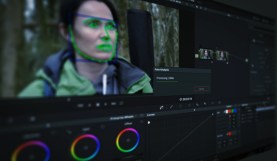
Working with DaVinci Resolve 14’s Powerful Face Refinement Plug-in
The Face Refinement Plug-in is a hidden gem in DaVinci Resolve 14. Here’s what you need to know to bring it into your workflow.
Check Out The Newest Audio Features in Resolve’s Edit Page
DaVinci Resolve’s new Fairlight Audio Page includes some great new features. But if you still need to control audio on the edit page, here’s how.
Master Resolve’s Built-In Film Grain with This Rundown
Looking for more control over your film grain effects? DaVinci Resolve 14 Studio gives you fully customizable options to mimic film stock.
DaVinci Resolve Being Weird? This Is Probably Why
DaVinci Resolve’s Auto Select controls can trip up your workflow if you’re not careful. Here’s what you need to know about this highly useful tool.
Get to Know The Dynamic Zoom Tool In Resolve 14
Working with stills in your video project? Check out DaVinci Resolve 14’s dynamic zoom tool to add some life to your images.

Get To Know DaVinci Resolve 14’s Three Auto Save Functions
Losing editing data to a computer crash is every editor’s worst nightmare. Learn how the release of DaVinci Resolve 14 puts this issue to rest.

Free Video Packs: 120+ Free Video Overlays, SFX, and LUTs
Download over 120 free video elements, assets, and sound effects for your next project. Good for personal or commercial use. Get your PB Freebies now!

Detonate: 40 FREE Explosion SFX and VFX Elements
Get 15 free VFX explosion elements and 25 powerful and incinerating sound effects for you next video. Perfect for video editors and motion designers.

Wanderlust: 17 Free LUTs to Use on LOG Footage
Download 17 FREE look-up-tables for color grading LOG footage. Inspired by the search for creativity, these LUTs quickly add vibrance to your videos.

How To Make Someone Look Ill Without Makeup in DaVinci Resolve
Need to make an actor look sick, without a makeup artist? Use this DaVinci Resolve technique to pull it off in post-production.

Reduce Unwanted Skin Shine In Post-Production with DaVinci Resolve
No makeup artist on set? Your actors could end up with shiny skin. Here’s how you can minimize the problem in post-production.

Build a Mobile Suite to Edit Your Projects on Location
To cut footage on set, you’ll need some specific gear and video accessories. Check out our recommendations in this roundup.