
Posts Tagged ‘Post Production’

Video Editing: Speech Analysis in Adobe Premiere Pro
Learn how to use the powerful speech analysis and recognition function in Adobe Premiere Pro. Speed up your edits and organize your footage automatically!
Music Video Color Grading Breakdown
In this post, we break down an interesting color grading look used in a recent music video. See how to create a dynamic black and white, split …
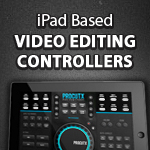
GEAR: Final Cut Pro X Video Editing Controllers
New video editing controllers are hitting the market and claim to speed up your post production workflow. In this post, we take a look at two and …

Compositing in Autodesk Smoke: Nodes vs Action
New to Autodesk Smoke? Don’t miss this post, showing you how to use the Action node to speed up and get more flexibility when compositing in Smoke!

Video Editing Tutorial: Using Markers in Premiere Pro
Premiere Pro has introduced a ton of new functionality when adding and editing markers. In this post we show you multiple ways to use Premiere Pro markers …

Blackmagic Design Cinema Camera – RAW Workflows
Thinking about buying a Blackmagic Design Cinema Camera? In this post, we’ve rounded up a few resources to show you how to tackle the BMDCC RAW file …
Creating Timesaving Presets in Compressor
Save time in post! Create presets for Apple Compressor to cover common encoding tasks. In this post, we show you how to make your own and share …
Improving Footage with the Warp Stabilizer in Premiere Pro
Repair shaky video footage in Premiere Pro using the powerful Warp Stabilizer effect – great for POV and handheld shots! In this post, we show you how …

The Corner Pin Effect in Adobe Premiere Pro
The Corner Pin Effect in Premiere Pro is a quick way to composite signage in elements in your video frame. In this post we show you how …

How To Share Projects Between Multiple Smoke Systems
Discover how to achieve real-time collaborative video editing with Autodesk Smoke. In this post we show you how to open Smoke on multiple systems, working on the …

Self Distributing Your Film – Lessons from a Real World Case Study
You’ve made a great film and you want it seen! Follow these tips from the director/producers of the documentary hit “Indie Game: The Movie”. Tons of great …
Creating a “Ken Burns” Pan and Zoom Effect in Premiere Pro
Learn how to create the zoom and pan effect made popular by documentary filmmaker Ken Burns. Using this effect makes plain and static subjects come to life …