
Motion
Motion design tips and tutorials for Apple’s Motion software.

After Effects Quick Tip: Creating Variables
Learn how to easily create variables in this After Effects quick tip tutorial.
After Effects Hack: Opening Multiple Projects Simultaniously
Did you know you can run multiple After Effects projects at the same time? Find out how to do it in this helpful video tutorial.

Alien Invasion: After Effects Video Tutorial
In our most exciting tutorial yet we sure you how to model, composite and animate a menacing UFO using After Effects and Cinema 4D.

Cinema 4D Video Tutorial: An Introduction to V-Ray Materials
Learn how to create use the advanced V-Ray material options in this Cinema 4D video tutorial.
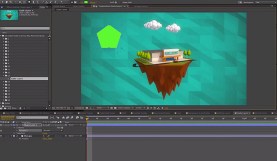
20 Useful After Effects Tricks You May Not Know
These 20 After Effects tricks can help you become an AE master.
Best to Worst: 6 Video Editing & Motion Design Software Discounts for Students
There are a lot of really great discounts on post-production softwares available to students. We rank them from best to worst in the following post.
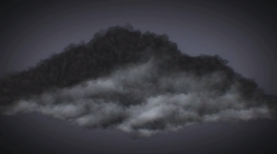
After Effects Video Tutorial: Storm Clouds in Trapcode Particular
Learn how to create realistic storm clouds in this awesome Trapcode Particular video tutorial.

Cinema 4D & Photoshop Tutorial: Alien Invasion
Learn how to model a realistic UFO in part 1 of our Alien Invasion series
FCPX Video Tutorial: The VFX Workflow
You may do a lot of VFX work but is your workflow optimized? Learn the ins-and-outs of creating the best visual effects and Final Cut Pro X …
Why You Should Care About Blackmagic’s Acquisition of Eyeon Fusion
Blackmagic Design as acquired high-end compositing and effects app Eyeon Fusion, marking their entrance into another segment of film/video production.
The Illusion of Life: A Q&A with Cento Lodigiani
Animation principles are important for anyone looking to create lifelike animation. We ask animator Cento Lodigiani to share how he created the 12 principles of animation explainer …
An Overview of Apple Motion’s New Features
Apple’s latest update adds an improved contrast filter and range selector for text. The following video tutorial shows us how to use them.