
Posts Tagged ‘DaVinci Resolve’

10 Must-Read Video Editing Articles
Keeping an eye on the industry and staying refreshed is a great way to improve your video editing game. These must-read video editing articles have something helpful …

Grading Insights From Pro Colorist Patrick Inhofer
We sat down with colorist Patrick Inhofer to discuss his color grading process and how new colorists can jump into the color industry.
How to Avoid Sepia Looks While Warming up Footage in Post
When attempting to warm up footage in post, many inexperienced colorists will take a wrong turn and wind up giving their footage a sepia look. Here’s how …

The Video Editor’s Guide to Color Grading
Increasingly, video editors are color grading on laptops and desktops instead of utilizing accurate, calibrated displays. Here’s how to make this reality work for you.

Color Grading Insight From Pro Colorist Alexis Van Hurkman
We interviewed pro colorist Alexis Van Hurkman and asked him to share how an aspiring colorist can tap into the competitive world of color grading.
DaVinci Resolve Tip: Use an EDL and Scene Cut Detection to Set up a Project
For long-form DaVinci Resolve projects, one of the easiest ways to get up and running involves using the powerful scene cut detection feature.

Pulling a Clean Green Screen Chroma Key In DaVinci Resolve
DaVinci Resolve may be known as one of the world’s best color grading platforms, but its compositing/chroma key tools are just as impressive.
DaVinci Resolve Tip: Create a Duotone Look in 2 Steps
The duotone color style can work really well as a more experimental look. Achieving great results only takes two very simple steps.
The Best Places to Learn Resolve
Want to become a Resolve master? Check out these five great places to learn the ins and outs of Blackmagic Resolve.
It’s Time to Stop Editing in Final Cut Pro 7
It’s been five years since Apple last updated Final Cut Pro 7. Let’s take a look at how video production and other NLEs have changed since.
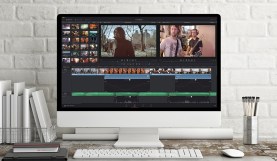
Easier Interview Editing With DaVinci Resolve’s Smooth Cut Transition
DaVinci Resolve 12 debuts the Smooth Cut transition, mimicking Premiere’s Morph Dissolve tool. Interview editing has never been easier.
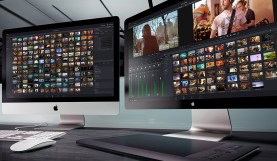
Organize Your DaVinci Resolve Work Area with New Compound Nodes
In a fast-paced session, it’s easy to lose track of each node’s function in the tree. DaVinci Resolve 12’s compound nodes offer a solution.