
Posts Tagged ‘video tutorials’

5 Ways to Clean up Audio in Adobe Audition
There are always going to be imperfections in your production audio. Instead of scrapping it, use these tips to clean it up in Adobe Audition.
How to Create Masks in Adobe Premiere Pro
Need to create an image mask for color grades, special effects, or other applications? You can do so directly in Adobe Premiere Pro.

Cinematography Tip: Lighting Techniques for Villains
We’re going to survey some of cinema’s most iconic villains and learn how lighting and color grading has contributed to their aura of menace.
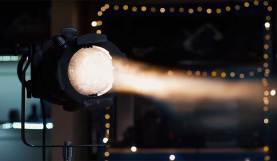
Learning Curve: How to Properly Use the Leko Light
Leko lights are a great way to capture natural-looking pockets of sunlight, or to cast light where no other light will go.
5 Time-Saving After Effects Tips for Motion Designers
There’s always something else to learn when creating motion graphics in After Effects. Here are 5 workflow tips to prove it. Motion graphics are hard — I’ll …
How to Create Foreign Language Subtitles in AVID
In this tutorial, we’ll show you how to prepare your foreign language content for translation and how to generate subtitles from those translations in AVID.

Roundup: PremiumBeat’s Top 10 Video Tutorials of 2019
2020 is here, so it’s time to reflect on what we’ve learned in the past year. We’ve rounded up our favorite tutorials of 2019 so you can …
Creating and Ingesting Proxies in AVID Using DaVinci Resolve
In this step-by-step tutorial, we’ll cover the best practices for using DaVinci Resolve to sync, color grade, and transcode proxies for ingest into AVID.
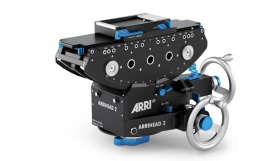
Learning Curve: How to Use a Geared Tripod Head
In this video tutorial, we’ll explore the origins of the geared head, when and how it was used, and why filmmakers still use it to this day.
Building Your Own Car Rig — Commercial Insider Edition
In this next video for fiscally clever car rigging, we’ll break down the mission control setup inside the car. Plus, my experience with these techniques.
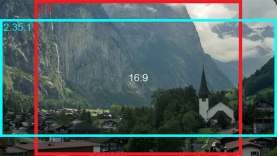
6 Lifesaving Hacks for Cropping Your Footage to a Wider Aspect Ratio
This article will specifically look at the aspect ratios used in video and film, focusing on the two well-known aspect ratios of 16:9 and the wider 2.39:1.
Create a Glitch Effect in Premiere Pro in 3 Steps
Want to create a glitch effect without any plugins in Adobe Premiere Pro? Just follow the 3 easy steps in this video tutorial.