Sound Effects: The Unsung Heroes of the Film Industry

Let’s discuss the history of sound effects, and how to incorporate this important cinematic element into your next project.
Sound effects. Audio Effects. Foley. There are several names for the sorcery of storytelling through sound that films and television rely upon to create moods, convey information, or complement performances.
Sound design is divided into three main categories (depending on who you ask): dialogue, music, and sound effects.
We already know how vital dialogue and music are, but what about sound effects? They’re just noises, after all. How important can they be?
Very.
So, let’s start at the beginning with the man, the myth, the legend—Jack Foley.
Who Was Jack Foley?
The man whose name would come to define an industry made his mark on cinema during its earliest days, and his life story sounds almost like the plot of a movie in and of itself.
Born to Irish immigrant parents in New York in 1891, Jack Foley grew up among other recognizable names like James Cagney and Arthur Murray. His first job was working at the docks that employed his father.
Foley didn’t care much for his lot, so he married his sweetheart secretly and ditched New York’s crummy weather for the bright skies of Bishop, California.
His life only got more interesting from there.
During World War I, he worked for the American Defense Society guarding the L.A. water supply against potential poisoning. Around this time, he became involved in theater, composing, and drawing cartoons.
In the 1920s, L.A. was growing rapidly, and enterprising landowners realized they could cash in by selling their land and its water rights. This sounds great on paper, but it depressed the local economy, and many people started hurting for work, including Foley.
So, he did what any enterprising future icon would do. . . .
Foley reached out to people he knew in the film industry and organized a publicity campaign to encourage production studies to bring their operations to his town of Bishop. It worked, and Foley found himself now employed as a location scout.
Fast-forward a smidge, and he gets a job working for Universal in several different capacities.
Things took off for Foley in 1929. A few years prior, production studios had started bringing sound into their movies. Microphones, at the time, could really only pick up dialogue. (That’s why really old movies feel kinda creepy—their artificial silence makes the world feel wrong.)
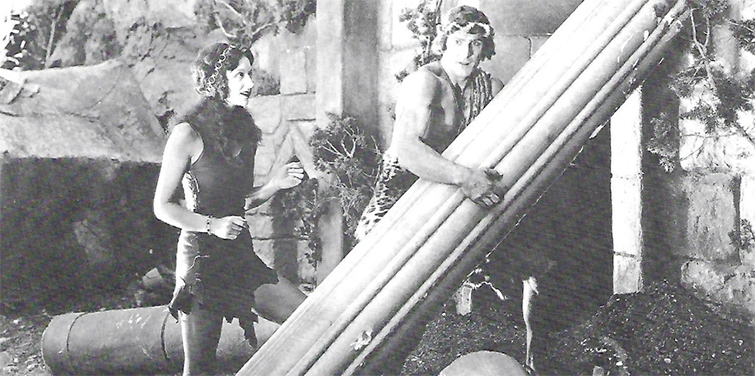
Foley worked on The Phantom of the Opera (1925), The Jazz Singer (1927), and Tarzan the Tiger (1929)—he recorded Tarzan’s famous yell.
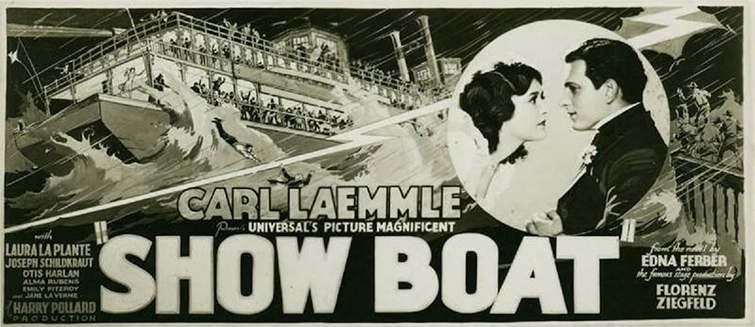
Then, in 1929, he was instrumental in turning Universal’s upcoming silent “musical” Show Boat into a, well . . . musical musical. The executives realized during The Jazz Singer, when they first introduced sound, that they would need music to stay competitive. When they called for employees with experience in radio production, Foley was their man.
After the success of Show Boat, “Foley effects” became a thing, and everybody wanted a part of it. From that point forward, our eponymous hero dedicated a thirty-year career to these effects, working on such classics as Dracula (1931) and Spartacus (1960).
Foley went on to earn lauds for his groundbreaking work, and the rest, as they say, is history.
What Are Sound Effects?
The world of sound effects is actually much bigger than Jack Foley. While his contribution to the industry can’t be underestimated, his particular talent was capturing, re-creating, and synchronizing every day sounds like footsteps, thunder, or car horns.
But, as sound design and sound effects advanced, good creation became an essential aspect of sound effects, too.
For example, what does a starship sound like? What about a dragon’s roar? As film became capable of greater and greater feats of imagination, so, too, did its soundscape.
The very first recorded sound effect was London’s Big Ben striking 10:30, 10:45, and 11:00, recorded on a brown wax cylinder by technicians at Edison House in 1890 (the oldest sound effect manipulation is reverb).
These days, sound effects can come from field recorders or a foley studio, but it’s common to generate them entirely out of thin air on a computer.
Common manipulations of sounds include the following:
- Echo (or reverberation): This effect is precisely what it sounds like: creating a sense of space as if a sound is echoing in a large chamber, cavern, or other huge room.
- Flanger: This effect can create a rising or falling harmonized sound that comes across as pretty “spacey.” The technique takes two identical recordings, plays them simultaneously, and then slows down or speeds up the signal of one of the two recordings. (In the old days, this was done on tape players with actual “flanger” buttons—hence the name.)
- Phaser: Similar to a flanger, a phaser splits a recording signal, filters part of it to create a phase-shift (get it? Phaser = “phase shift”), then reunites the split signal. It also makes a spacey swelling or contracting sound.
- Chorus: This effect adds a delayed signal to the original signal for a layered effect. It’s common to alter the pitches slightly to more realistically create the illusion of multiple sound sources.
- Equalization (or EQ) is fine-tuning a sound by making tiny adjustments to different frequency bands to change a recording’s overall sound.
- Filtering (this is where we get equalization from): It’s a form of emphasizing or de-emphasizing frequency ranges using low-pass, high-pass, band-pass, or band-stop filters. (Filtering is a quick-and-easy way to make a recording sound like something over the phone.)
- Overdrive distorts sounds, creating robotic voices or the illusion of transmission interference. The science behind the effect involves clipping the signal once it crosses a certain waveform threshold.
- Pitch shift: This adjustment raises or lowers a recording signal’s pitch. The most typical application is pitch correction, which brings out-of-pitch recordings into the appropriate pitch (think pop singers who miss their notes or use auto-tune stylistically.)
- Time stretching doesn’t make any adjustments to pitch; instead, time stretching simply changes the speed of the recording signal.
- Resonators use sets of frequencies that can be applied to a recording to create a harmonized or chord-like effect.
- Robotic voice effects: No need to over-complicate this description. This effect makes voices sound synthesized.
- Synthesizer: A synthesizer effect is capable of a lot—too much to fit into this bite-sized description. The short version, though, is that it can create familiar sounds by imitating other sounds, or it can artificially create something entirely new.
- Modulation: A common sci-fi sound effect that changes a sound wave’s frequency or amplitude—the voices of Dr. Who‘s Daleks are perfect examples.
- Compression: Dynamic range compression (also just “compression” or “normalizing”) evens out a recording signal by making things that are too loud a little quieter and things that are too quiet a little louder.
- 3D audio effects: We’re all familiar with surround sound, but that can require the placement of multiple speakers that, well . . . surround you. 3D audio effects can create the illusion of surround sound but use only two speakers.
- Sound-on-sound: This effect layers one recording on top of another. So, if you wanted to record a duet with a singer who’s no longer with us, this is the effect you’d use.
- Reverse echo: We began this list with an echo, and we’re ending it with one (sort of). Echoes start loud and get quieter. A reverse echo, essentially, plays the echoes first and creates a swelling effect.
All of these techniques, used in isolation or together, can create genuinely captivating sound effects. We’ve rounded up the 10 Best Uses of Sound Effects for you. Before you move on to “How to Use Sound Effects,” go have a quick look.
How to Use Sound Effects
If you want to create your own sound effects or foley effects, you’ll need some equipment. You can take the basic approach and simply use your smartphone and an external microphone, or you can buy an audio recorder with a built-in microphone.
However, for best results, you’ll need an audio recorder with a dedicated external microphone (like a condenser microphone—or a “shotgun” mic).
Once you have your gear in hand, get creative. The first step is to start recording, but bear in mind that the magic behind foley effects is that things don’t always sound like themselves. You have to find sound sources that are realer than real. Crinkling cellophane, for example, makes a better “frying bacon” sound than actually frying and recording bacon.
Take a look at this tutorial on DIY sound effects to get started.
You’re going to end up with a lot of recordings, so be sure you use a consistent file-naming system, and catalog your recordings in categories that you’ll be able to navigate later on.
With your recordings ready for modification, you’ll need an application to make your adjustments. We recommend you start with something free and easy to learn, like any of these “5 Best Free Audio Editing Programs.”
It takes some trial and error to become proficient with all the effects we listed above, but so much of sound design is subjective; you’ll gravitate to specific effects more than others, and you’ll find your signature sound.
Once you’ve processed your sound effects, you need to get them into your project. Timing is everything in sound design (well, not everything—your sound effects have to actually sound good first), so with a bit of adjusting, you’ll pick up on when to load in a sound, how to fade it in or out, and whether or not the effects that you thought would work so well are actually working at all.
Like anything else, practice will make perfect here.
You’ll need an NLE (non-linear editor) to layer in your sound effects, foley effects, and soundtrack. If you don’t already have a favorite NLE, we recommend you stick with DaVinci Resolve from our “5 Best” list above. It won’t break the bank, and it’s an intuitive program to learn.
Where to Find Sound Effects
At the end of the day, you may not want to design your own sound effects. We get it. There are a lot of sounds to worry about, even in the smallest project.
For high-end, professional-sounding . . . uh . . . sounds, we recommend our curated library of royalty-free sound effects. They won’t break the bank, and we’ve spent years assembling this library to meet any sound needed.
Our SFX library was created just for our customers, exists nowhere else, and is continuously growing. And, to boot, these files are available in stereo, 5.1, and ambisonic formats.
So, there you have it. The world of sound effects is huge, and it’s an ever-expanding, ever-developing field. Movies without sound effects have the uncanny valley effect on us, so it’s important to bring depth and texture that will make us, your audience, feel comfortable in your artificial world.
One last word on sound effects: Don’t be afraid to iterate. By that, I mean rinse and repeat. By that, I mean to try, try again.
You might think you’ve designed an immersive soundscape, but it’s your project—you’ll think that. Let others listen to it, as you saw in the foley competition above. Take their feedback. Keep adding layers and sounds and effects until you nail it.
And, your audience probably won’t notice how good it is when you do. That is the hallmark of genuinely effective sound design.
For more on sound effects, check out these articles:
- Free Epic Sound Effects for Film & Video Trailers
- 355 Free Motion Graphics, Sound Effects, Action Elements, and More
- Over 280 Free Sound Effects for Videos, Apps, Films, and Games
- 40+ Free Footstep Foley Sound Effects for Sound Design
- 25 FREE Unique Vintage Sound Effects for Your Film and Video
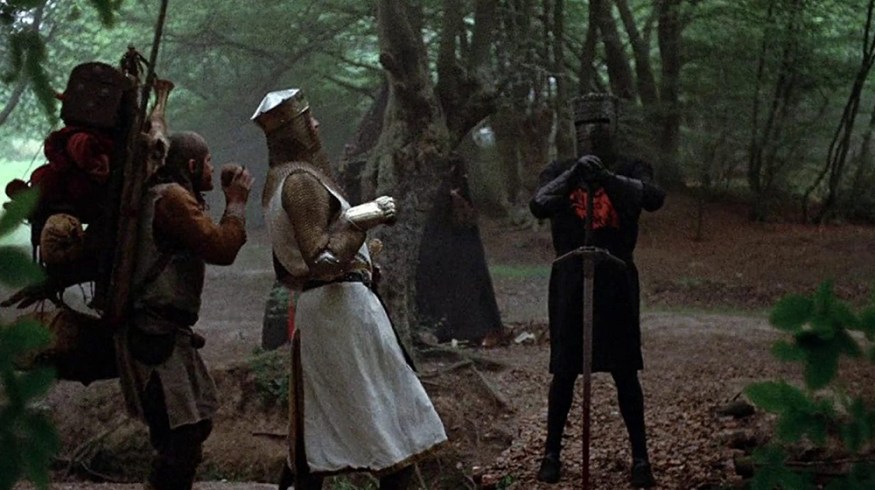
Cover image from Monty Python and the Holy Grail via EMI Films.