

Protect Your Project: How to Blur Out Faces and Logos in After Effects
Don’t get sued! Protect yourself with these tips for blurring out faces and logos in After Effects.
Quick Tip: Audio Syncing in Premiere Pro CC
Audio syncing in Premiere Pro CC is an often-overlooked feature, but it can save you a lot of time when editing.
How to Organize a Feature Film Edit Like a Pro
Organize your feature film edit like the editor of Mission Impossible: Rogue Nation, Eddie Hamilton.
5 Editors that Broke the Hollywood Studio System
As the Hollywood studio system began to crumble, these editors turned a new generation of young filmmakers into household names.
4 Simple Tricks to Keep Track of Memory Cards on Set
Managing your memory cards can help you avoid formatting and deleting any footage prematurely. Here are four simple ways to keep track of your memory cards.
The Best Places to Learn Resolve
Want to become a Resolve master? Check out these five great places to learn the ins and outs of Blackmagic Resolve.
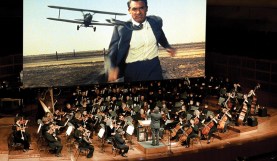
The Undeniable Emotional Impact of Music in Film
While filmmaking and videography are primarily visual art forms, the importance of finding a gripping score to accompany the images can’t be overstated. Let’s look at the …
How to Shoot, Edit, and Upload 360-Degree Videos
Get ahead of the curve by learning how to produce 360-degree content for mobile devices and VR headsets. Here are the tools you need to shoot, edit, …
Motion Tracking in After Effects: 6 Ways to Track Your Footage
There’s more than one way to pull off motion tracking in After Effects. Here’s a few of them!

From the Moon to Galaxies Far, Far Away: Miniatures in Space
Miniatures and models have always been used in filmmaking. Even in the modern CGI era, miniatures and models are still a common go-to special effects technique.
4 Creative Tips for Next-Level Video Editing
Want to know how to make your video editing stand out? These masterful techniques will take your edits to the next level.
26 Essential Title Design Keyboard Shortcuts for Premiere Pro
Want to kick your title design into overdrive? Here are 26 must-know keyboard shortcuts for Premiere Pro.